Video upscale node
Purpose: make videos sharper and smoother. With FlowWall DetailX, super-resolution and frame interpolation run in a single pass, taking 480p video up to 4K at 60 fps.
Original 480pDetailXBefore / after comparisonSame clip: 480p 24 fps → 1080p 60 fpsOpen it and drag the slider in the middle to compare sharpness and smoothness before and after FlowWall DetailX.Open comparisonDetailX V2: upscaling, frame interpolation and light correction
FlowWall DetailX V2 is an in-house video enhancement engine. Super-resolution rebuilds details such as hair and textures, while frame interpolation adds smoother motion transitions. For existing videos, you can upscale without interpolation and enable light correction when needed.
| Aspect | Original | After DetailX |
|---|---|---|
| Resolution | 480p / 720p | Up to 4K (1K, 2K or 4K) |
| Frame rate | Typically 24 or 30 fps | Up to 60 fps, or keep the original frame rate without interpolation |
| Image | Soft when enlarged; hair, eyelashes and textures blur together | Detail rebuilt; hair, eyelashes and textures stay crisp |
| Motion | Stutters during fast movement | In-between frames added; camera moves and motion look smoother |
Ideal for turning AI-generated videos into high-definition final cuts for ads, social media and big-screen playback.
Steps
Add a Video upscale node.
Connect the video you want to process.
- 01Upscale model: choose how the video is upscaled
- 02Resolution: the output resolution — 1K, 2K or 4K
- 03Frame rate: choose no interpolation, 30 fps or 60 fps. No interpolation preserves the source frame rate.
Set the parameters shown in the node.
- 01
Frame Interpolation: only adds in-between frames for smoother motion; the image does not get sharper - 02
FlowWall DetailX: sharpens the image and adds in-between frames, so the video comes out both clearer and smoother
Run after confirming the settings.
Use DetailX during video generation
On the video generation page or a Flow video node, open the resolution menu, enable DetailX and select an output tier. Video generation and DetailX processing run together, delivering the enhanced result when the task finishes.
Turn DetailX off to use native model tiers. Enable it for output options such as 720P, 1K, 2K and 4K, depending on the model. 1K corresponds to 1080P; enhanced tiers are not native model capabilities.
Combined generation currently processes at 48 fps. The examples below include both 48 fps and 60 fps footage. For existing videos, the separate DetailX V2 Video Upscale node offers no interpolation, 30 fps or 60 fps.
Credits cover both video generation and DetailX processing. Some combinations can save up to 70% at the same resolution, but not every model is cheaper; the MiniMax H3 2K example can cost more than native output. Check the actual quote before running.
Native model output vs DetailX video upscaling
Open a card and drag the divider to compare detail and motion. Resolutions and frame rates below describe the sample footage, not fixed settings for every generation task.
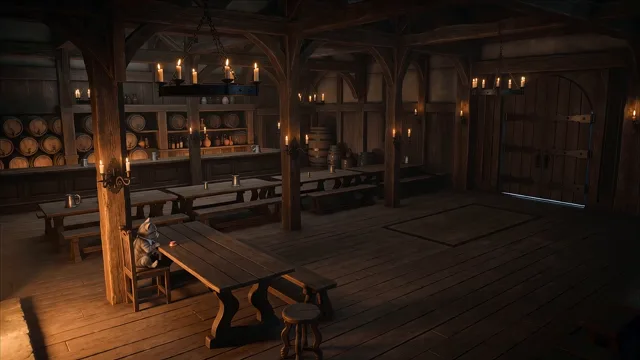 Seedance 2.0 video upscaling comparison1K · 1080p · 24 → 48 fpsCompare native output and DetailX
 Seedance 2.5 video upscaling comparison1K · 1080p · 24 → 60 fpsCompare native output and DetailX
 Wan 3.0 video upscaling comparison1K · 1080p · 30 → 60 fpsCompare native output and DetailX
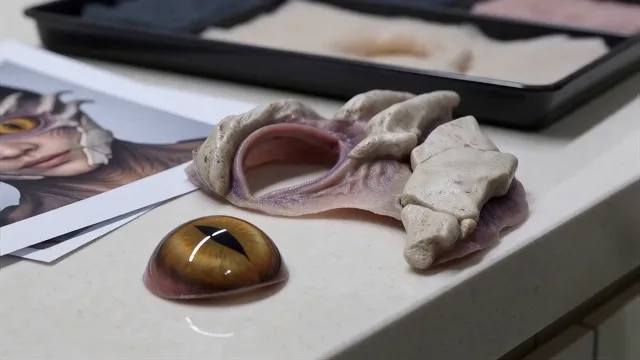 MiniMax H3 video upscaling comparison2K · 1440p · 24 → 48 fpsCompare native output and DetailX
 Gemini Omni1.1 video upscaling sample1K · 1080p · 60 fpsGemini Omni1.1 currently shows only the DetailX result; a native sample is not yet available.View the DetailX sample